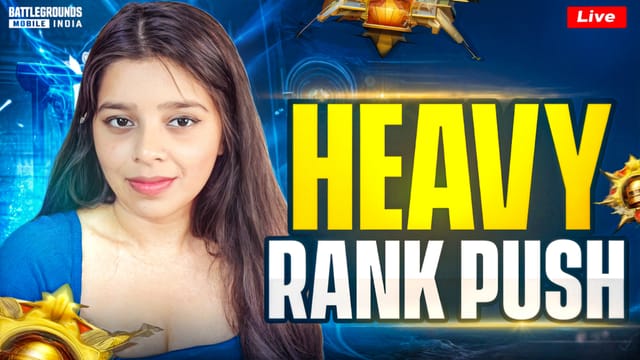
HOW WE REACHED 1M SUBS IN 12 MONTHS
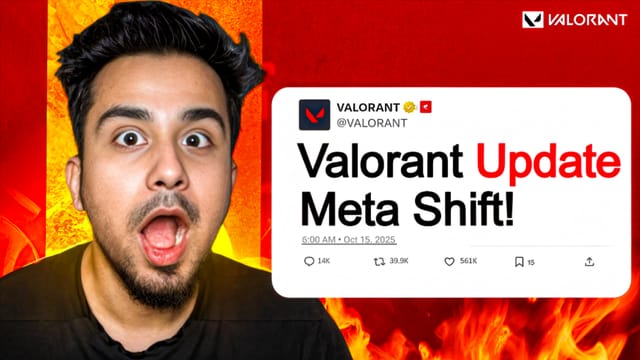
HOW WE REACHED 1M SUBS IN 12 MONTHS (B)

Why Nijjar Dont Want To Show | Autobiography Before Climax | Full Sleeve Tattoo. Part1

Kamz Inkzone In Dubai Inked | 2026


Sabse Pehle GTA 6 Download Kiya! 209 GB + India Server Crash | GTA 6 #gta6 #gtavi #shorts

Jaan Habibi Nights (Official Video) | Kamz Inkzone | Desi Afro Album | Inkboy Musik

Just 10 Days Until Our Twins Turn 4! Birthday Countdown #shorts #twins #birthday


Why He Left Canada 🇨🇦 to Learn Tattooing in India 🇮🇳 | Inspired Story @kamzinkzonetattoosacademy

From Hospital Bed to Gym Life – A Real-Life Comeback | Death Was Close, But

2 Baar Haara… 3rd Try Mein FINALLY Boss Khatam | Phantom Blade Zero #phantombladezero #shorts
Videos by channels edited at Shinel Studios · See their latest uploads
Legibility check
Box your text (or auto-detect it) and see its real height in pixels at every YouTube size, its contrast, clutter and the time-badge overlap, with a 0 to 100 score and three fixes. Also on its own page: Thumbnail Legibility Checker.
Master the Art of the Perfect Click
Stop guessing how your thumbnails will perform. Use professional-grade simulation tools to see exactly what your viewers see on Desktop and Mobile.
A/B Testing
Compare two variations side-by-side to determine which design captures more attention.
CTR Analytics
Simulated heatmaps and contrast scores help identify the focal points of your design.
Simulated Feeds
Preview your thumbnail in Home, Search, and Sidebar layouts with Dark and Light mode support.
Expert Thumbnail Strategies
The Squint Test
Squint your eyes while looking at the preview. If you can still tell what the video is about, your composition is strong.
Subject "Pop"
Ensure your subject has a high contrast with the background. Using a subtle outer glow or drop shadow can help.
Mobile First
Over 70% of YouTube views are on mobile. Large text and bold subjects are non-negotiable for smartphone users.
Dominating the
Search Results
In a sea of content, you have 0.3 seconds to win a click. Our Search Previewer tool helps you analyze how your thumbnail stacks up against the top ranking videos for your keywords.
- Check competing colors
- Optimize for small screens
- Test readability against competitors
Thumbnail Optimization Knowledge Base
QWhat is a YouTube thumbnail previewer?
A YouTube thumbnail previewer is a specialized mockup tool that allows video creators to visualize how their thumbnail designs will look in the real YouTube interface (Home, Search, and Sidebar) before they upload.
QHow do I increase my YouTube Click-Through Rate (CTR)?
To increase CTR, focus on high-contrast colors, expressive faces, and large, readable text. Use our mockup tool's blur and grayscale tests to ensure your main subject stands out.
QWhy use a thumbnail mockup tool instead of just uploading?
Uploading directly doesn't allow you to compare variations side-by-side or see how your design competes with other trending videos in a simulated live feed.
QCan people read the text on my thumbnail?
Use the legibility check on this page: box your text and it shows the text height in pixels at every YouTube size, its contrast against the background and whether the duration badge covers it, with a 0 to 100 score and three fixes. Aim for about 14 pixels tall in the 168-pixel search and sidebar slots.
QIs this YouTube thumbnail tester free?
Yes, the Shinel Studios Thumbnail Previewer is 100% free for all creators to use to improve their content strategy.
Learn more: free guides
More Free Creator Tools
Free Channel Audit
Score your last 20 uploads and get 3 fixes in 60 seconds.
Discord Server Planner
Channels and roles for your community, ready to copy.
Video to GIF
Small, sharp GIFs from any video. Nothing uploads.
Video Compressor
Fit Discord, WhatsApp or email limits, in your browser.
GIF Compressor
Shrink a GIF, or turn it into a tiny MP4.
YouTube Title Generator
High-CTR title ideas from proven click formulas.
YouTube Tag Generator
Focused SEO tags — primary, long-tail, related.
Word Counter
Words, characters and speaking time for scripts.