Transcribe any YouTube video in seconds.
Paste a YouTube link and get the full transcript instantly — manual captions, auto-generated subtitles, and translated tracks. No signup. Completely free.
 New · Chrome extension
The transcript, right beside the video.
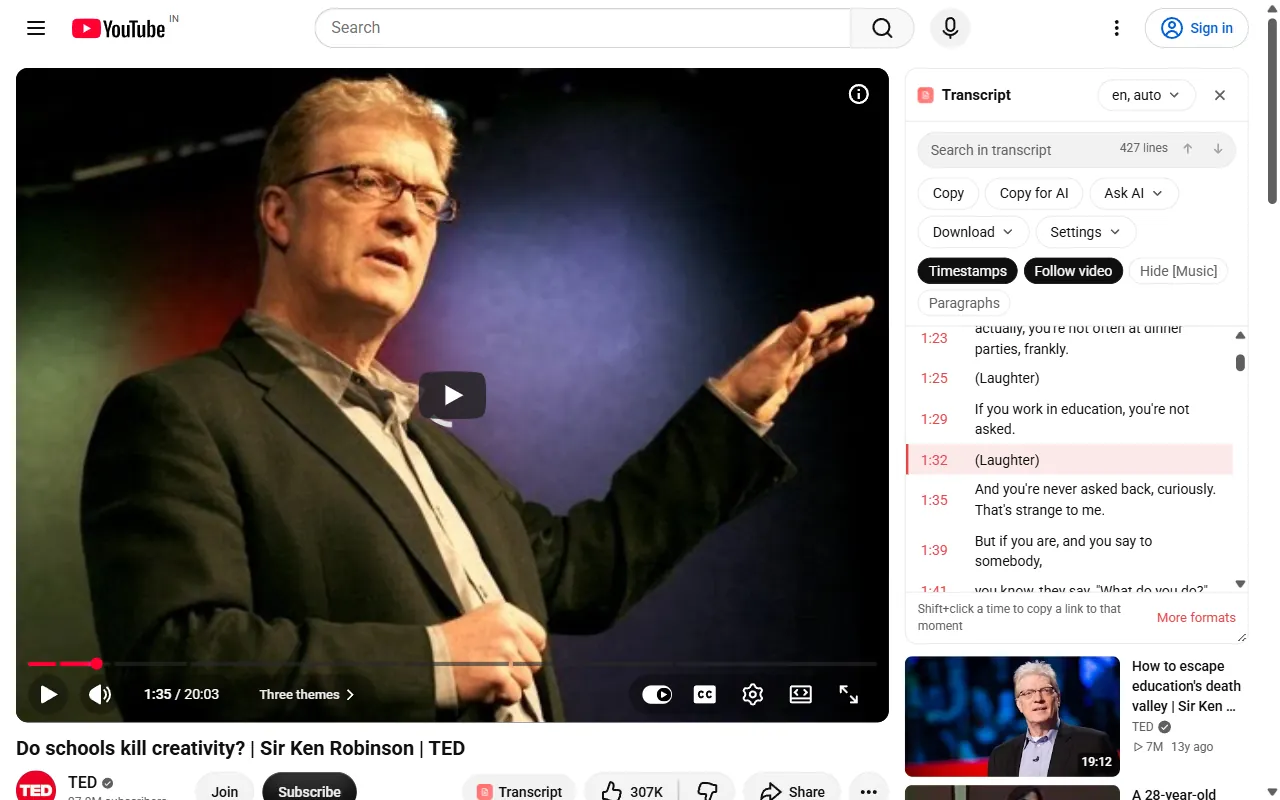
TranscribeYouTube is also a free Chrome extension. It adds a Transcript panel next to the YouTube player (and a floating one on Shorts) that you can search, click to jump, translate, copy and download as TXT, SRT, VTT or Markdown. It reads the caption track the video already has; it does not transcribe audio. Free, no account, no analytics.
Read
- A Transcript panel beside the YouTube player, and a floating panel on Shorts
- Click a line to jump to it; the current line highlights as the video plays
- Chapters from the description, as a picker and as headings
- Translate into about 150 languages with YouTube's machine translation
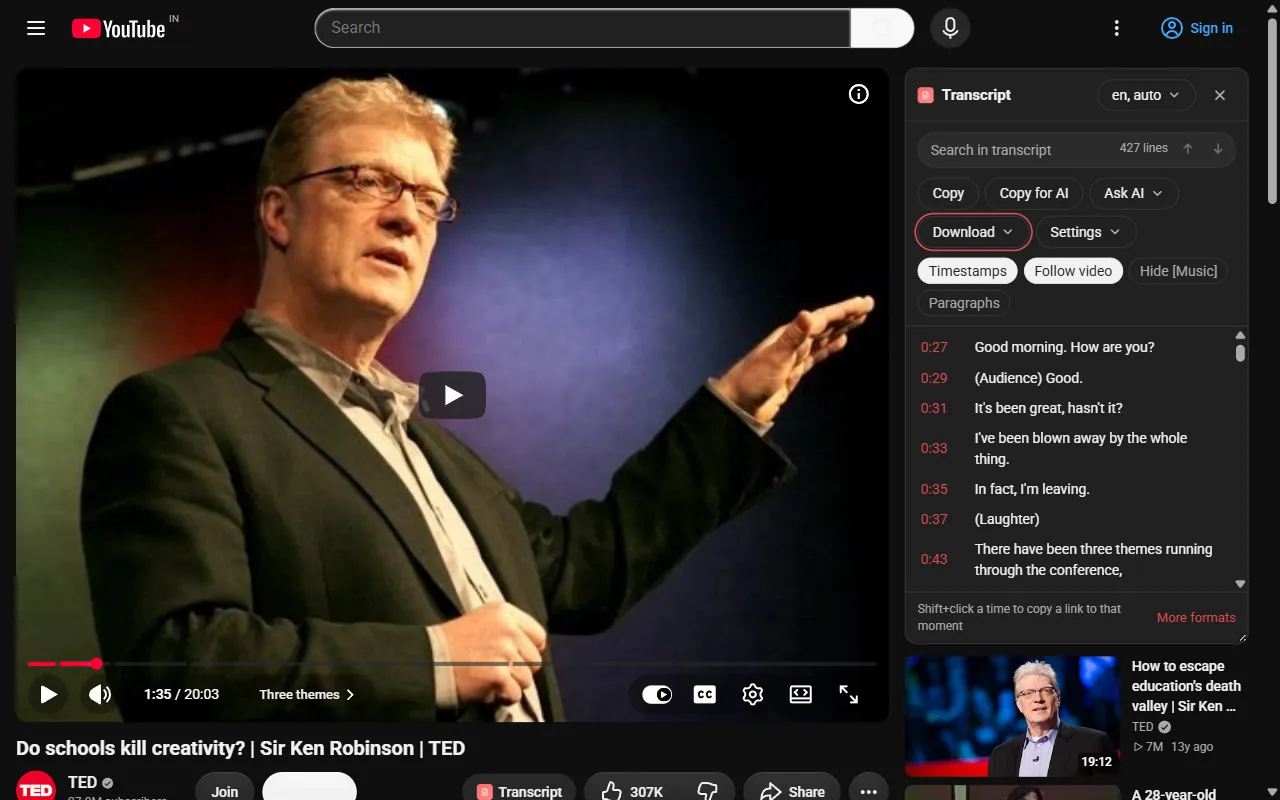
- Light and dark themes; Alt+T opens or closes, Esc closes
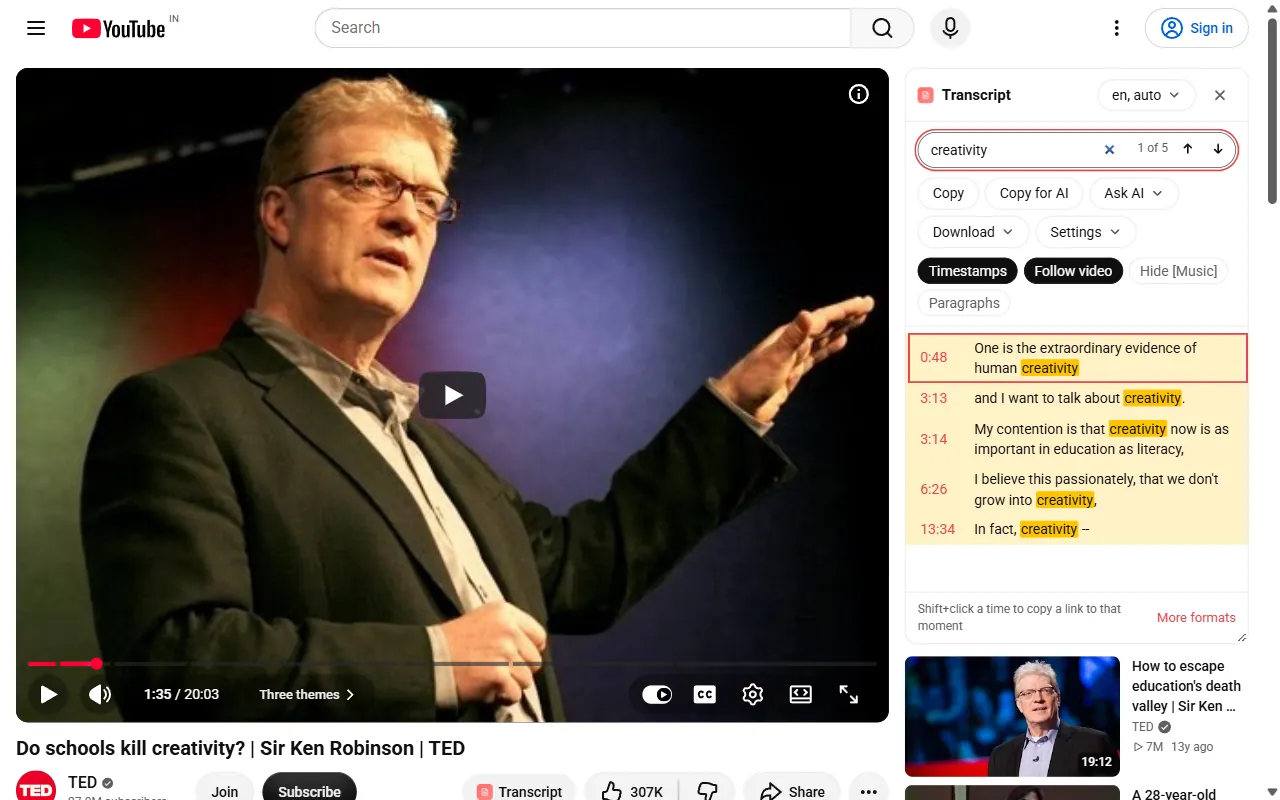
Search
- Search with a match count, plus whole-word and regex options
- Shift+click a time to copy a link to that exact moment
- Copy a quote with the words, video title, time and link
- Save highlights on your device, browse them in the popup library, export to Markdown or Obsidian
Export
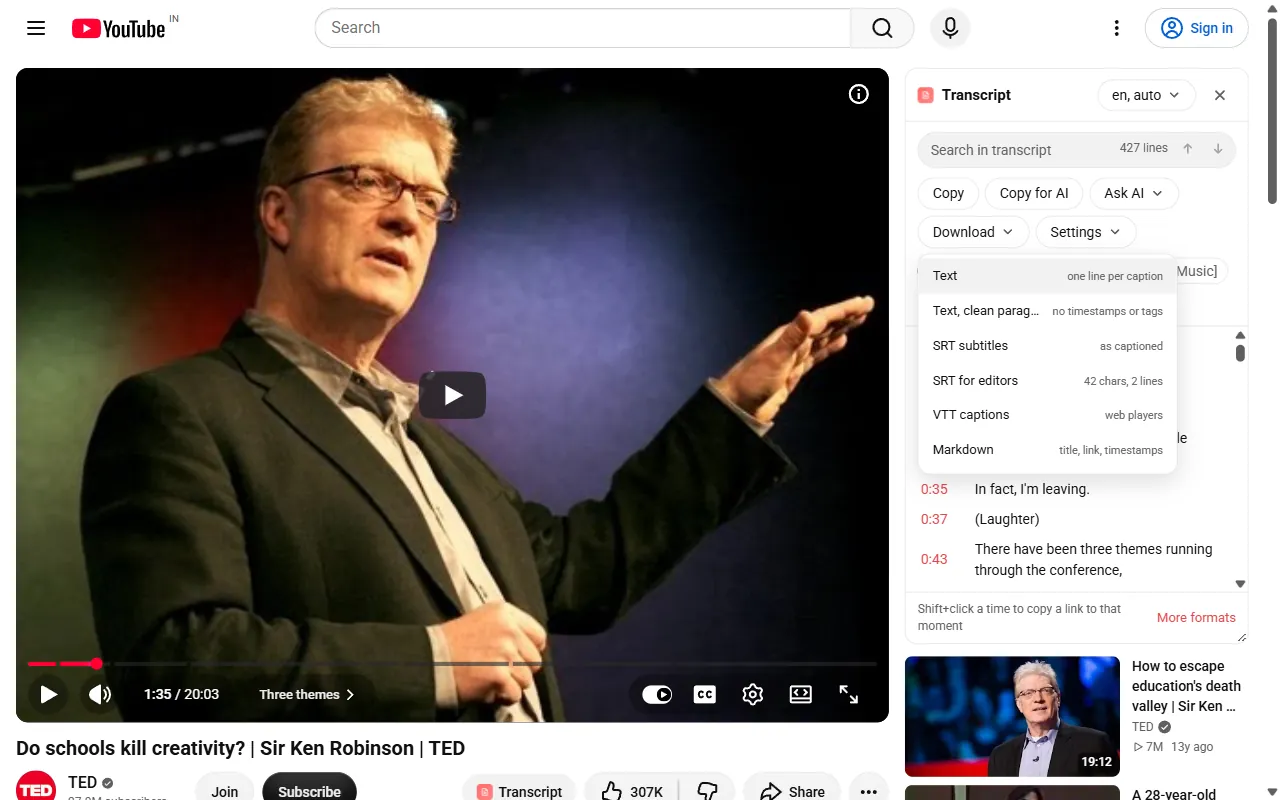
- TXT as lines or as clean paragraphs
- SRT, and an editor-ready SRT (42 characters, 2 lines)
- VTT and Markdown
AI
- Ask AI opens ChatGPT, Claude, Gemini or Perplexity with the transcript and a prompt you choose
- Prompts: summary, key takeaways, key moments, study notes, quiz, blog outline, social thread, explain simply, or your own
- Summarize on this computer runs the same prompts on Chrome's built-in AI (Gemini Nano, Chrome 138+), so the transcript never leaves the browser
Privacy
- Free, no account, no analytics
- Stores only your display preferences (synced) and any highlights you save (local)
- Talks to youtube.com for the page you are on, and only falls back to transcribeyoutube.com/api/transcript with the video id if YouTube's route fails
Extension questions
Does the TranscribeYouTube extension transcribe the audio?
No. It reads the caption track the video already has, either the creator's subtitles or YouTube's auto-captions. It never listens to or transcribes audio, so a video with captions turned off has nothing to show, and the panel tells you so.
Does the extension work on YouTube Shorts?
Yes. On a Short the transcript opens as a floating panel instead of sitting beside the player.
What does the on-device AI summary need?
Summarize on this computer uses Chrome's built-in AI (Gemini Nano). It needs Chrome 138 or newer, about 22 GB of free disk space, and either a GPU with 4 GB of memory or 16 GB of RAM. On older Chrome or weaker hardware the extension falls back to opening the transcript in ChatGPT, Claude, Gemini or Perplexity instead.
Is the TranscribeYouTube extension free?
Yes. It is free, needs no account and has no analytics. You install it from the Chrome Web Store and that is the whole setup.
Launch notes: why we built the TranscribeYouTube extension. Privacy policy: transcribeyoutube.com/chrome-extension.
Why creators love TranscribeYouTube
Built for editors, researchers, and content teams who need accurate text from video — fast.
Full Transcript Extraction
Pull every word from any public YouTube video — long-form, Shorts, livestreams, and playlists.
Multi-Language Support
Access transcripts in every language the video supports, including auto-translated captions.
Instant Results
No waiting, no queues. Paste the link and the transcript appears in under 5 seconds.
No Login Required
Completely anonymous. We don't ask for your email, Google account, or any permissions.
Timestamps Included
Optional timestamped output so you can jump to exact moments in the video while reading.
Works on Every Device
Fully responsive. Use it on your phone, tablet, or desktop — anywhere you have a browser.
Ready to extract your first transcript?
It takes less time than reading this sentence. Paste a link, get the text, move on with your day.
Try It Now — FreeFrequently asked questions
Is TranscribeYouTube.com free to use?
Yes. Paste a YouTube URL and get the transcript — no signup, no credit card. Fair-use limits apply: 5 a minute, 30 an hour and 100 a day per IP.
Can I download the transcript as a file?
Yes. Copy the text directly or download it in 8 formats: TXT, Markdown, JSON, SRT, VTT, CSV, Word and PDF.
Does it support auto-generated captions?
Yes. The tool extracts both manual (creator-written) and auto-generated captions from any public YouTube video.
Is there a limit on video length?
No limit. Whether it's a 30-second Short or a 3-hour podcast, the full transcript is fetched in seconds.
Can I get transcripts in other languages?
If the video has captions or auto-translations available on YouTube, TranscribeYouTube will surface them.
Learn more: free guides
More Free Creator Tools
Free Channel Audit
Score your last 20 uploads and get 3 fixes in 60 seconds.
Discord Server Planner
Channels and roles for your community, ready to copy.
Video to GIF
Small, sharp GIFs from any video. Nothing uploads.
Video Compressor
Fit Discord, WhatsApp or email limits, in your browser.
GIF Compressor
Shrink a GIF, or turn it into a tiny MP4.
YouTube Title Generator
High-CTR title ideas from proven click formulas.
YouTube Tag Generator
Focused SEO tags — primary, long-tail, related.
Word Counter
Words, characters and speaking time for scripts.